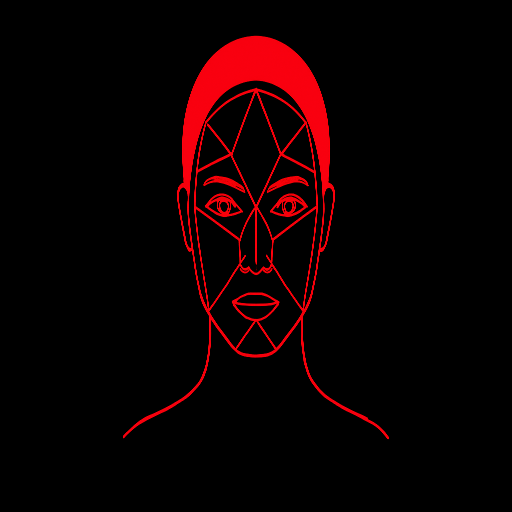
How to Use an AI Face Shape Tool and Read the Result
Updated . Rewritten at its original address with practical steps and the current tool's limitations. Maintained by Naveed. Face-shape profiles are approximate styling descriptions, not beauty scores.
An AI face shape tool can help you compare visible facial proportions, but it cannot establish a permanent, scientifically certain label from a single photograph. In Face Analysis Suite, a landmark model locates points in the image and a separate heuristic compares their proportions with seven styling profiles.
This guide covers the practical workflow: choosing a photo, using the crop controls, reading the result and deciding when to try again. For the technical process, see how face shape analysis works.
1. Choose one clear, front-facing portrait
Use a photo with one visible face, even light and a relaxed expression. Keep the camera near eye level and the forehead, cheeks and chin unobstructed. Group pictures, strong side views and blurred screenshots make the intended face or its outline harder to assess.
You can choose a photo from your device or use the camera when your browser supports it and you grant permission. Camera access is optional. If you prefer not to use a photo, the manual calculator and guided quiz offer alternatives.
2. Crop only when it improves the framing
After selecting a photo, choose whether to crop it or use the full image. A full photo can work when the face is clear and large enough. Cropping is useful for removing empty background; it does not recover missing detail or fix a strongly turned head.
Keep the entire forehead-to-chin span and both sides of the face inside the selected area. Zooming tightly into the eyes, nose and mouth removes the very outline the tool needs. If you lose the chin or forehead, reduce the zoom, reposition the photo or reset the crop. Follow the photo and crop checklist if framing is unclear.
3. Let the checks finish
The analysis model downloads on first use, so the first run may take longer than later runs. The tool checks the image and compares multiple versions of it before showing a result. Those checks help detect some unstable inputs; they do not make the final category scientifically validated.
If the model cannot load, check the connection and try again. If the tool reports no face, multiple faces or unsuitable photo quality, address that message with a clearer single-person image. Repeatedly submitting the same unsuitable crop is unlikely to reveal information that is missing from it.
4. Read the measurements before the first label
Look at face length, upper-face width, cheekbone width and jaw width together. The displayed overlay gives context for those spans. A model landmark is not necessarily the exact edge you would choose by hand; in particular, the upper forehead landmark does not reliably locate the hairline.
Then compare the leading profile with the alternatives. Close scores suggest that more than one description may be useful. A profile-similarity score is not a measured probability that you have that face shape. Our accuracy and limitations guide explains the distinction.
5. Troubleshoot a surprising or repeated result
If different photos all produce the same category, compare the inputs before assuming the category is correct. Are they cropped tightly in the same way? Is the head tilted, or are hair and facial hair hiding the outline? Try a new, evenly lit front-facing photo rather than a resized version of the first image.
If a clear photo still produces an implausible overlay, stop relying on that estimate. Use manual measurements or compare the illustrated profiles. You can report the issue with your browser, device and the message shown; Please do not send face photos or facial measurements for routine support.
6. Turn the result into a small styling experiment
Explore the hairstyle, glasses, beard and makeup suggestions for the leading and nearby profiles. Pick one practical detail to compare, such as frame shape or the position of a fringe. Generated example images are inspiration, not a preview of your own face. Your comfort, preferences and an appropriate professional fitting or consultation matter more than agreement with the label.
Explore with the current suite
Analyze a photo, check your measurements, or compare all seven shapes.